Share screenshots without exposing sensitive information
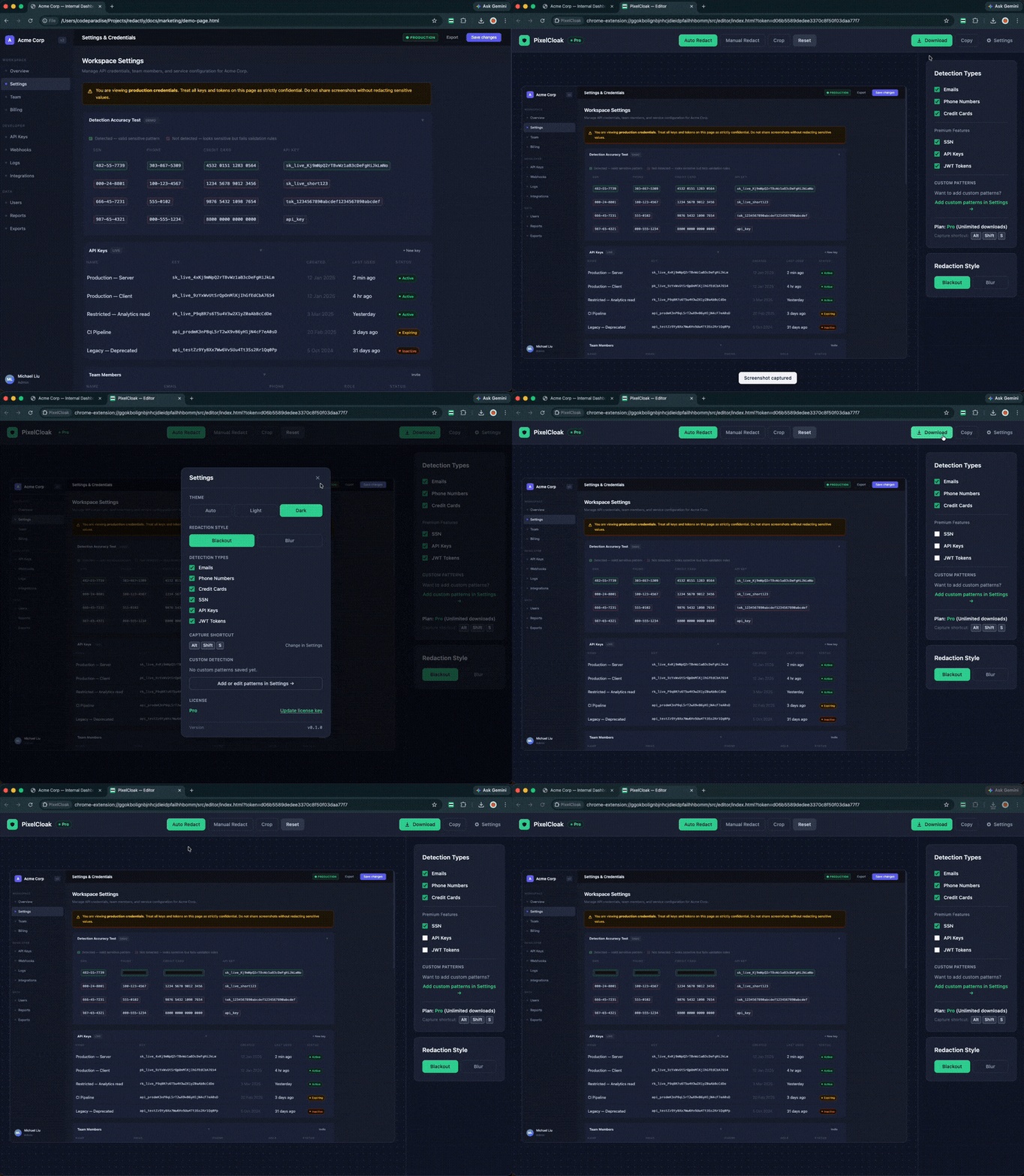
Automatically detect and redact emails, API keys, tokens, and personal information before sharing screenshots. All processing happens locally — nothing leaves your device.
Why PixelCloak
Built for engineers, support teams, and anyone who shares screenshots as part of their work.
Privacy-first
Your screenshots never leave your browser. No cloud uploads, no server processing, no data retention.
Local processing
OCR and detection run entirely on-device. Fast, offline-capable, and completely private by design.
Automatic detection
Recognizes emails, API keys, SSNs, credit cards, phone numbers, and JWTs without any configuration.
Who uses PixelCloak
Anyone who shares screenshots as part of their work.
Developers
Share API responses, logs, and bug reports without leaking keys, tokens, or credentials.
Support Teams
Attach screenshots to tickets and emails without exposing customer PII or internal identifiers.
Consultants
Send client deliverables with sensitive data pre-redacted — no editing in external tools.
Content Creators
Publish tutorials and walkthroughs without accidentally revealing account details or personal info.
Features
Start free. Upgrade when you need more.
Free
$0
Forever
- 5 exports per day
- Email and phone detection
- Credit card detection
- Manual redaction canvas
- PNG export
Pro
Launch offer$7.49
$9.99
One-time payment
- Unlimited exports
- SSN, API key & JWT detection
- Custom regex patterns
- Custom keyboard shortcuts
- 3-device license
- Priority support
One-time · No subscription
Ready to upgrade?
Unlock unlimited exports, advanced detection, and custom patterns for a single payment.
FAQ
Are my screenshots uploaded to your servers?
No. All processing — OCR, detection, and redaction — happens entirely in your browser. No screenshot data ever leaves your device.
What sensitive data does PixelCloak detect?
Free: emails, phone numbers, and credit cards. Pro adds SSN, API keys, JWT tokens, and unlimited custom regex patterns.
Which browsers does PixelCloak support?
PixelCloak works on Chrome, Edge (any Chromium-based browser), and Firefox. Other browsers are coming soon.
How many devices can I use one license on?
Up to 3 devices. You can manage your active devices from your account page — remove a device to free up a slot.
Can I redact screenshots of local files (HTML, PDF)?
Yes. Open your browser's extension manager (chrome://extensions on Chrome, edge://extensions on Edge, opera://extensions on Opera) → find PixelCloak → Details → enable "Allow access to file URLs". Once enabled, the extension works on local files just like regular web pages.